The diagram
Engine
Halyx PC 40 DMX frames per second, no DMX cableNetwork
Switch tablets and phones over Wi-FiNodes
Art-Net / sACN any brand, 1 to 32 portsDMX
Fixtures cabled, or wireless through a CRMX transmitterThe engine PC connects to the switch over RJ45 (not Wi-Fi: the light goes through it). Tablets and phones can be on Wi-Fi, on the same network.
Fixed addresses
Example for a 192.168.50.0/24 lighting network:
| Device | Address |
|---|---|
| Halyx PC | 192.168.50.2 (fixed, mask 255.255.255.0) |
| Art-Net node | 192.168.50.10 (fixed) |
| Tablets, phones | DHCP (if a Wi-Fi router provides it) |
Give the node a fixed address: most manufacturers advise against sustained unicast to a DHCP address. On the ODE
MK3, without a DHCP server, the node falls back to 192.168.0.10: set the PC to 192.168.0.2 while you configure it
in its browser.
The Windows firewall
Without a gateway, Windows doesn't recognise the network and classes it as Public. If the first-launch prompt only allowed private networks, the light goes out but tablets cannot reach the console and nodes may not answer discovery. Halyx detects it (in the launch window and in Outputs) and offers:
- Open the firewall: Change settings, then tick Public on the Halyx line (the safe fix);
- Network settings: switch the network to Private, when Windows allows it.
What must come in to the Halyx computer:
| Port | Protocol | For |
|---|---|---|
| 7810 | TCP | the console: tablets and phones |
| 7811 | TCP | the console over local HTTPS |
| 6454 | UDP | Art-Net: node replies, RDM |
| 5568 | UDP | sACN: send only, nothing to open |
| 7812 | UDP | OSC remote, if opened to the network |
The output patch
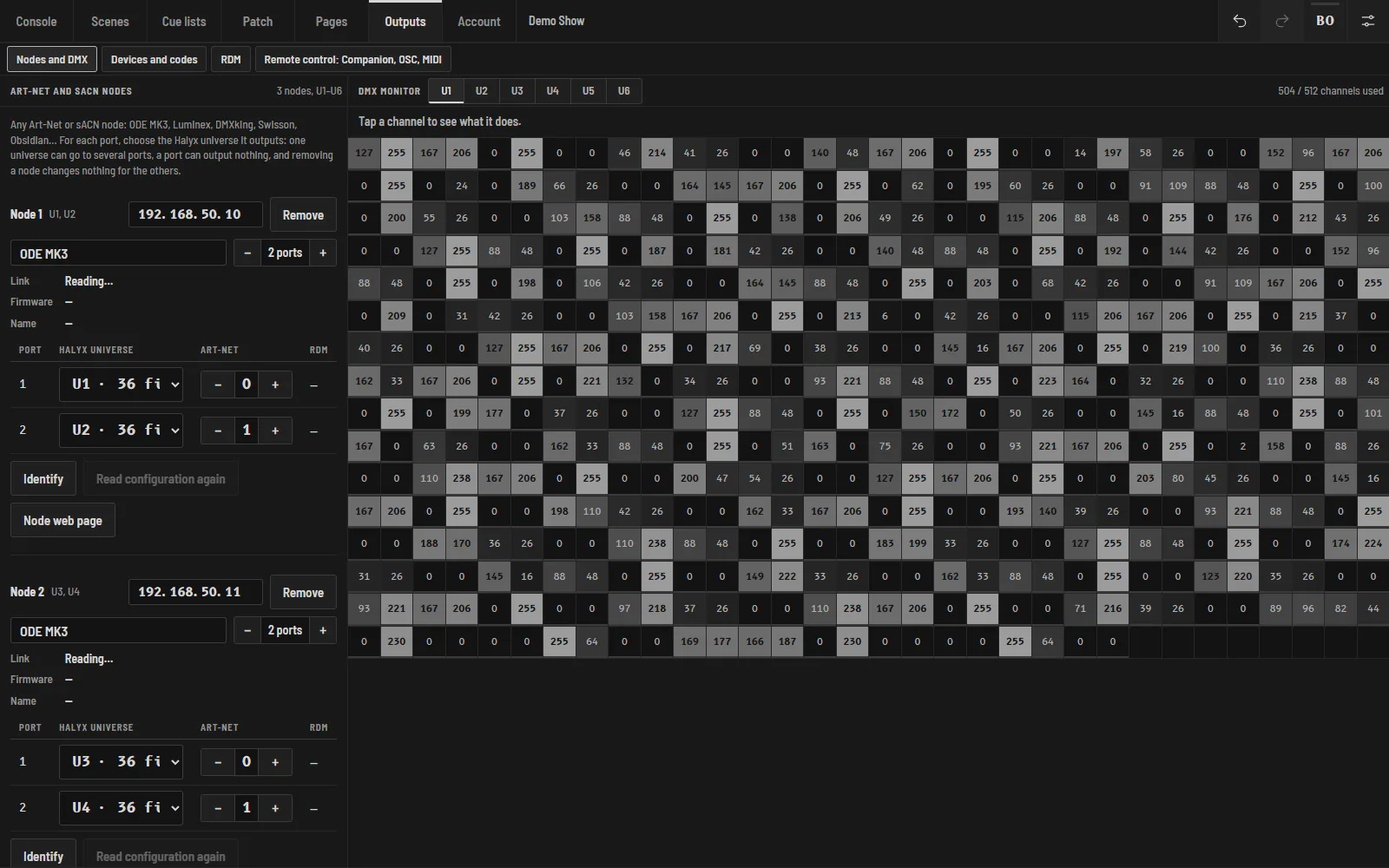
In Outputs, each port of each node receives the Halyx universe it outputs, whatever number is set on the node. The DMX monitor shows what goes out, channel by channel.
A CRMX transmitter
Plug the transmitter (for example a LumenRadio CRMX Luna in TX) into a node port over DMX, link the receivers, and patch the universe to that port. Turn RDM off on that port if the transmitter doesn't pass it. See Wireless DMX with CRMX.