Skip to content

A real-time 3D visualizer, inside the console

No separate software, no extra cable or licence: the Halyx stage plot is a 3D view of the real light, computed live from what the engine sends to the fixtures.

Halyx built-in 3D visualizer in full view, front angle: moving-head beams crossing above the fashion show runway, rendered in real time through haze.

The light as it comes out

Every fixture is a 3D model rotated according to its rigging: spot, beam or wash moving head, LED PAR or PAR 64, profile, Fresnel, cyclorama, bar, panel, strobe, blinder, laser, and even special effects (smoke, cold spark, CO2, flames). Its light follows the model: hard edge for a profile or a beam, soft edge for a Fresnel or a wash, four beams for a blinder, a fan of thin lines for a laser.
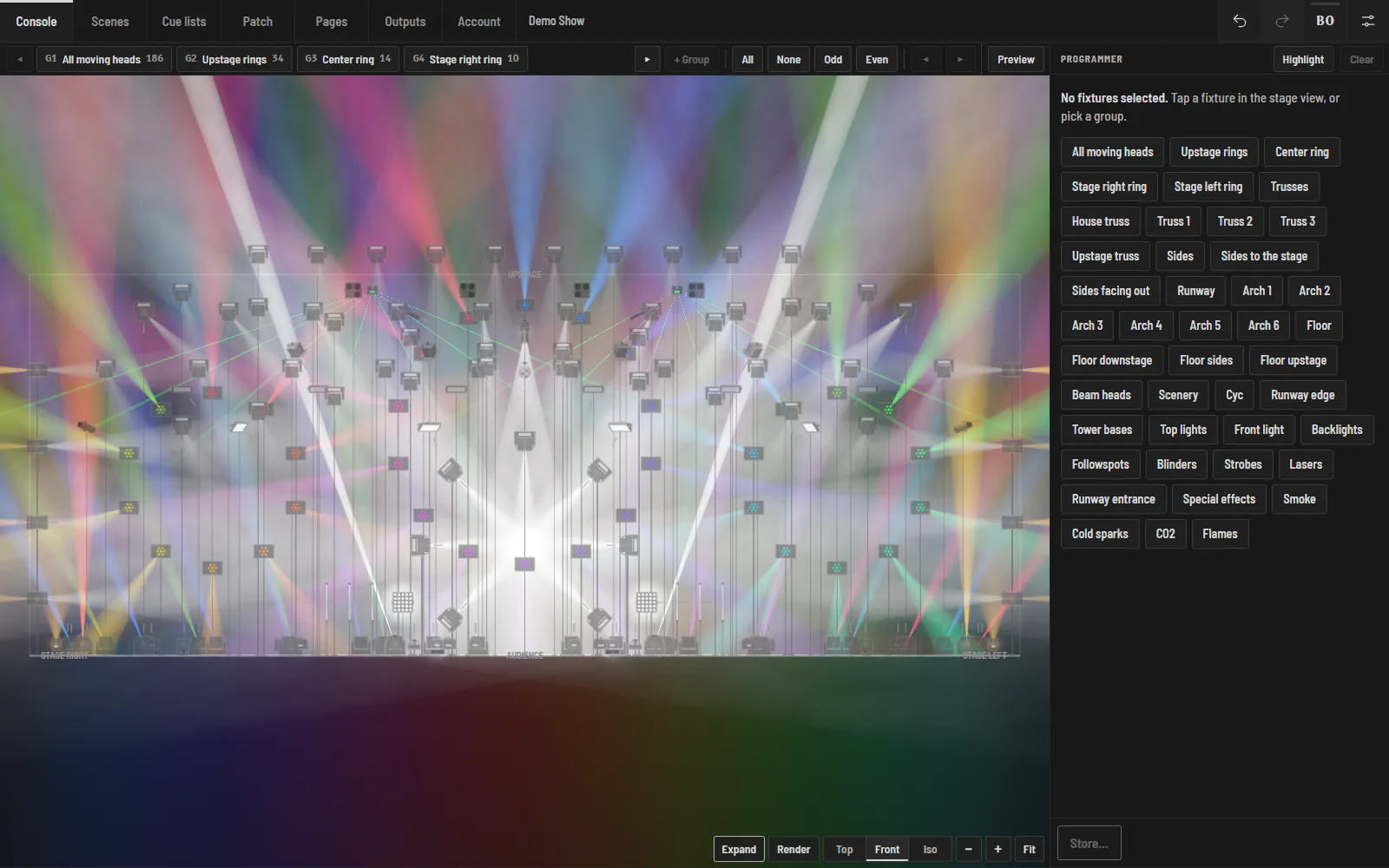
Halyx built-in 3D visualizer in full view, front angle: moving-head beams crossing above the fashion show runway, rendered in real time through haze.

A physical render, not a burnt-out picture

Rendering uses WebGL 2, at more than 60 interpolated frames per second: spots and beams add up in linear light, in an HDR image, then go through a filmic curve. Highlights roll off to white instead of clipping, even with 178 moving heads on. Exposure adapts by itself, like a light meter; haze and brightness are set in the view.

  • Top, Front and Iso viewpoints, rotate and zoom with gestures;
  • moving heads follow their pan and tilt live, effects animate;
  • strobe shown as a dotted outline: never any real flashing on screen (photosensitivity risk).

Program without being in the venue

Without a licence, everything works except the output to the fixtures: enough to prepare a show at home on a laptop, and arrive at the venue with the cue list ready. The Scenes screen also shows the 3D view blind: you prepare the next scene without changing what is going out.
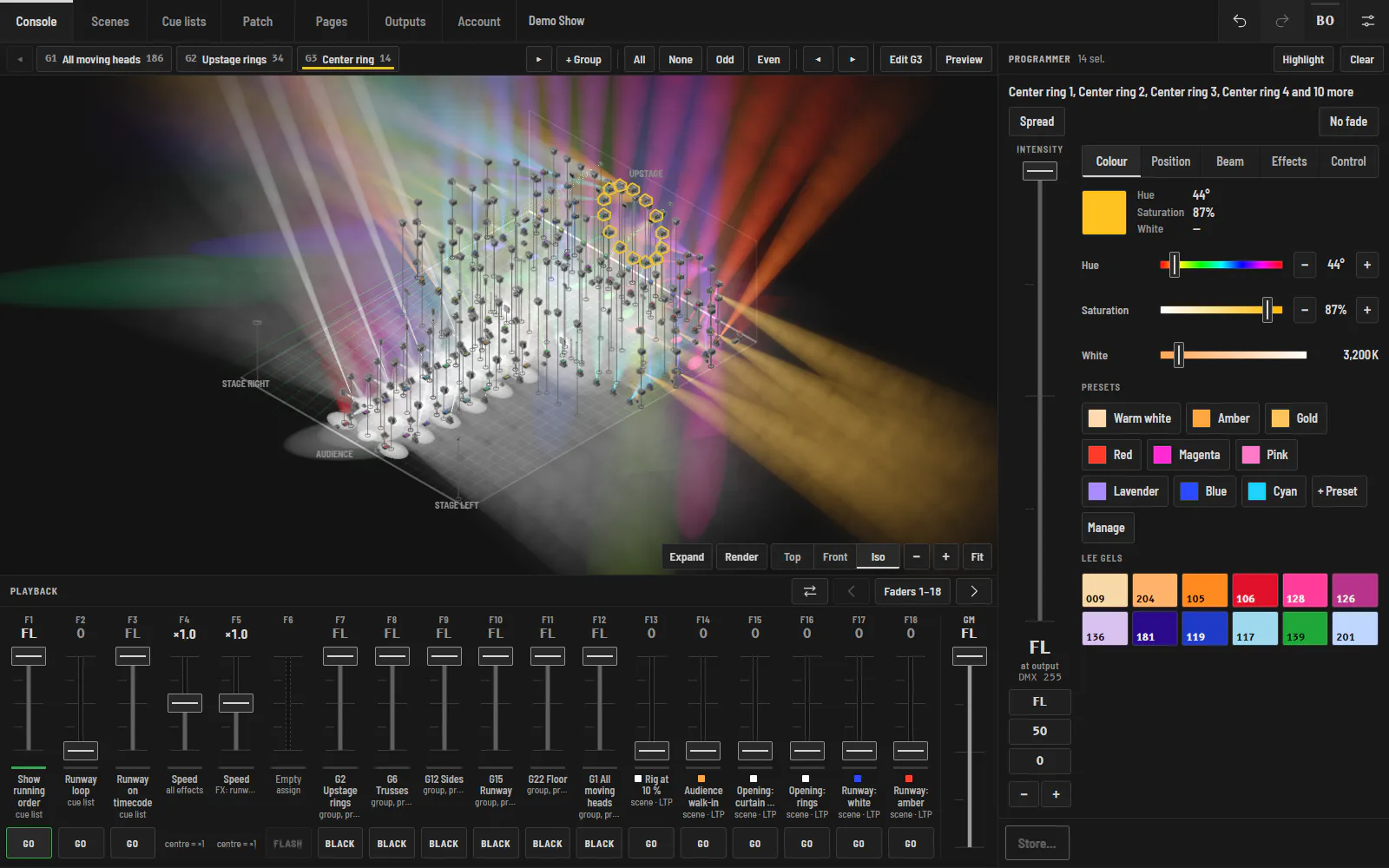
Halyx console on a computer: isometric 3D lighting plot of a 277-fixture fashion show lit in colors through haze, the programmer open on the color of the selected ring, and 18 playback faders below.

The same stage everywhere

The same view is used by the console, the Scenes screen and Patch, where you place each fixture in 3D (position, height, orientation). Positions then drive effects (left-to-right waves, fans across the stage) and aiming: touch a point on stage, the selected moving heads point at it.

Frequently asked questions

Is the 3D visualizer extra?

No. It is included in every plan, even without a licence: the visualizer never counts towards universes.

Do I need a powerful graphics card?

No. WebGL 2 rendering runs in the browser of the screen that shows it; a recent tablet or a laptop is enough. Beyond 300 fixtures seen from afar, dots replace the 3D bodies to stay smooth.

Can I import an MVR plot?

Not yet. Fixtures are placed in Patch, in 3D; MVR import is planned.

Try Halyx for free

Everything works without a licence, except the output to fixtures. 14-day Solo trial, no card.