1. Open the console on a tablet
On a tablet or phone on the same network as the PC, scan the QR code in the launch window (or in the Outputs screen). Add the page to the home screen: it will open like an app. An access code protects the full role; other devices can have playback or pages only.
2. Patch the fixtures
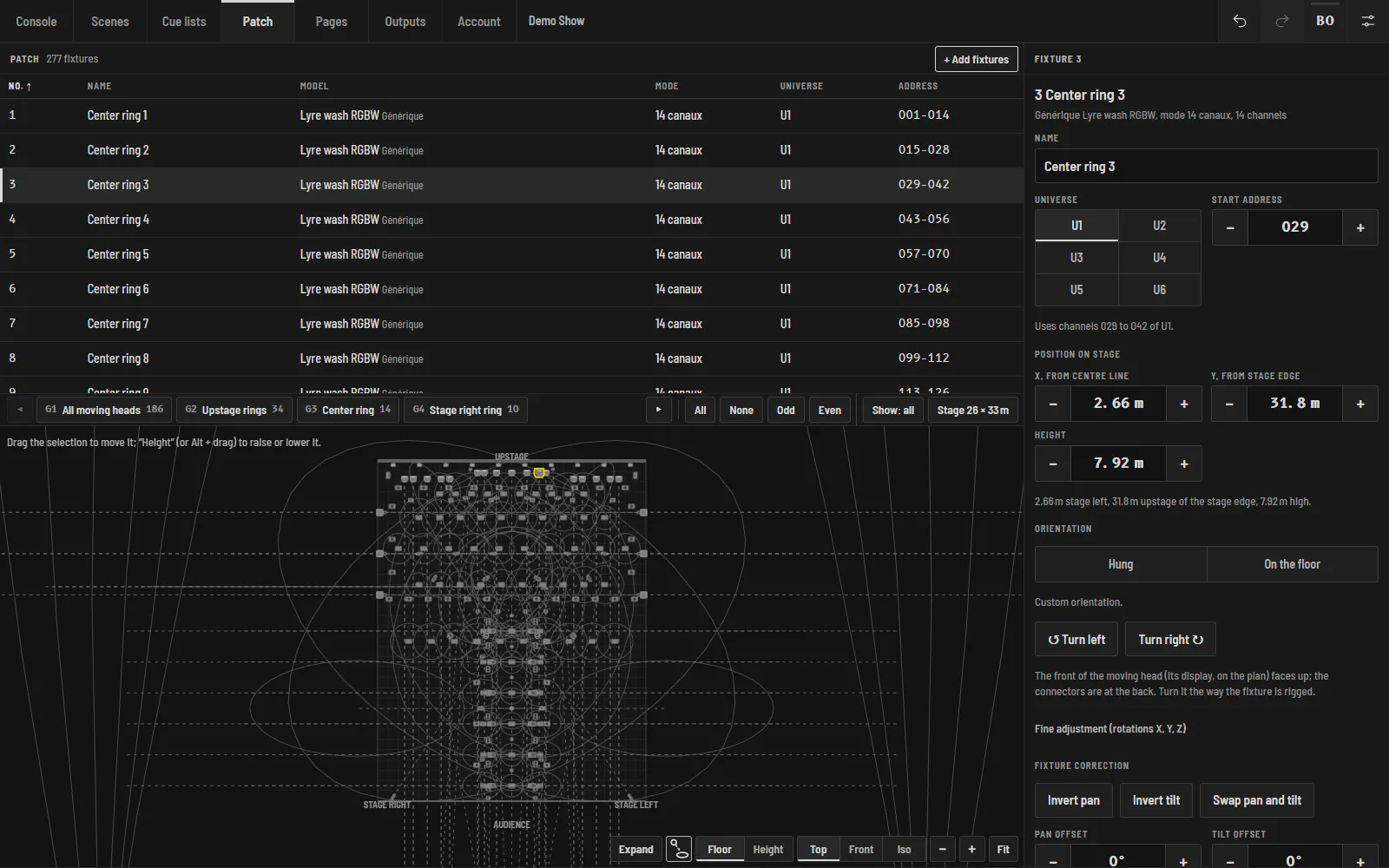
In Patch › Add, search the library by brand or model (more than 470 profiles, see the catalogue), open a GDTF file, or build the profile from the manual. Choose the mode, universe and start address: Halyx offers the next free one. Then place each fixture on the 3D plot (position, height, orientation).
3. Set up the outputs
In Outputs, Halyx finds the Art-Net nodes on the network. For each port of each node, choose the Halyx universe it outputs. The "Universes → outputs" table shows where each universe goes. Without a licence, everything works except this output: the 3D visualizer shows the light.
4. Program a scene
Select fixtures on the plot (or a group), set intensity, colour, position, beam or an effect in the programmer, then Record: the scene joins the library shared by the cue list, the faders and the pages. The programmer clears after recording.
5. Build the cue list and press GO
In Sequences, add scenes to the cue list, set their times (fade, colour, movement, wave) and their trigger (GO, Follow, Wait, Timecode). Then GO. Undo / Redo catches every gesture, without ever stopping what is playing.