Skip to content

All your fixtures: generics, GDTF, and profiles read from the manual

Patching a fixture should take a minute. Halyx already knows hundreds, reads GDTF files, and can build a profile from the manufacturer's documentation.

Adding fixtures in Halyx: a “spot” search in the generic profile library (ADJ, Astera, Cameo, Chauvet DJ…), with GDTF Share, custom profiles, profile creation and reading a fixture manual (PDF, photo).

A library that grows by itself
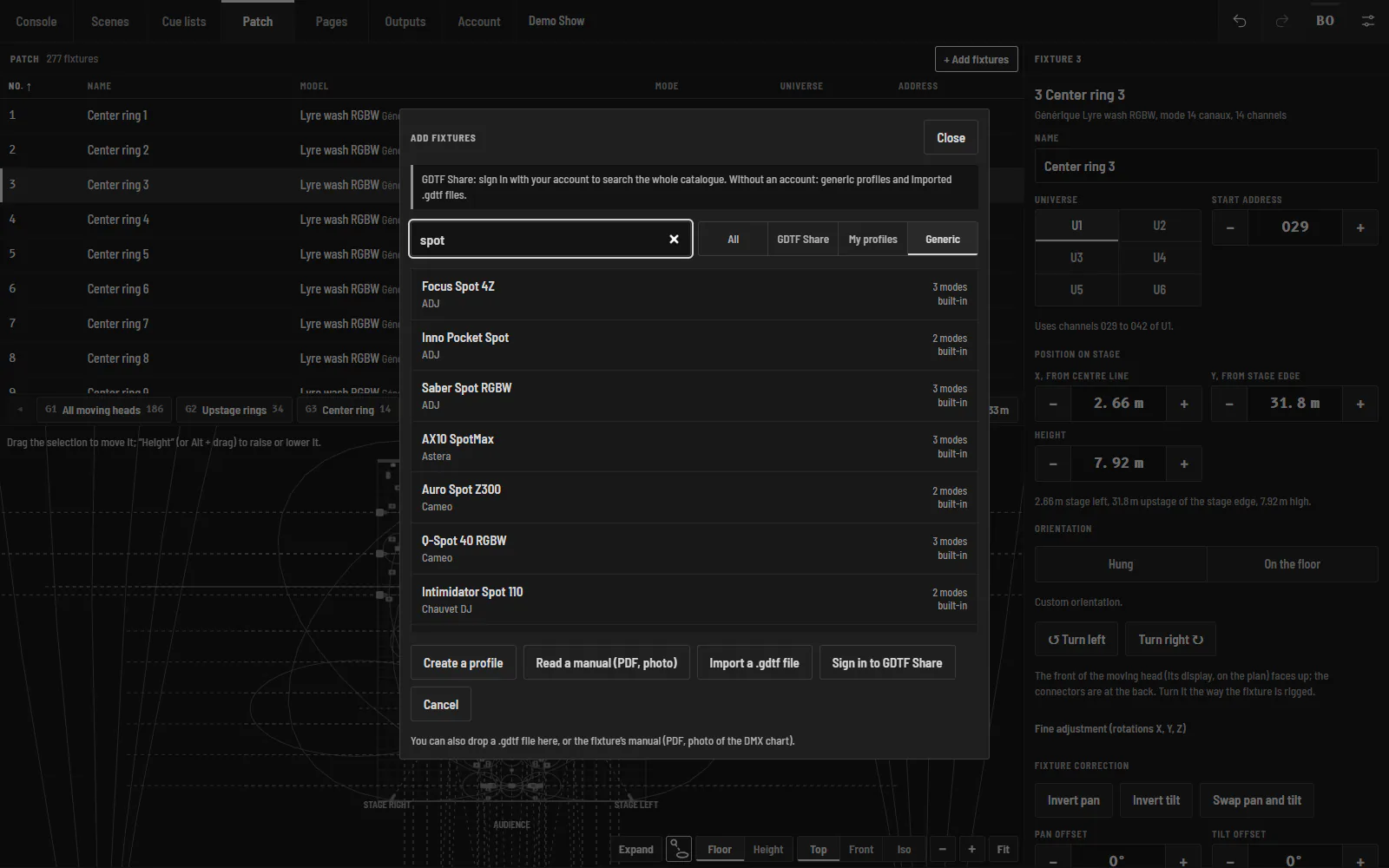
Adding fixtures in Halyx: a “spot” search in the generic profile library (ADJ, Astera, Cameo, Chauvet DJ…), with GDTF Share, custom profiles, profile creation and reading a fixture manual (PDF, photo).

Halyx ships with generic profiles, and receives those we publish without waiting for an update: signed in to your account, the library grows by itself. Today, more than 470 devices from 58 brands, taken from the manufacturers' documentation: moving heads (Robe, Martin, Clay Paky, Ayrton, GLP, Chauvet, Elation…), LED PARs and bars, profiles (ETC, Robert Juliat, DTS…), film lighting (ARRI, Aputure, Nanlite, Astera…), effects (smoke, cold spark, flames, CO2, lasers). Every profile can be browsed on this site: modes, channels, addresses.

GDTF and GDTF Share

Halyx opens GDTF files and searches the GDTF Share catalogue. A profile made in Halyx exports as .gdtf, to share it or use it in another console.

A profile from the manufacturer's manual

In Patch › Add, create a profile by hand from the DMX chart in the manual, or let Claude (Anthropic's AI) read the manual, as a PDF or a photo: a draft to check before saving. The Anthropic API key is yours, kept on the engine. Profiles you create follow your account: they appear on all your computers.

A complete patch

  • 3D position and orientation of each fixture;
  • multipatch (two identical PARs driven as one), DMX breaks (part of a fixture on another universe);
  • pan and tilt swap, invert and offset for fixtures rigged rotated;
  • per-fixture dimmer curves (linear, square, soft).
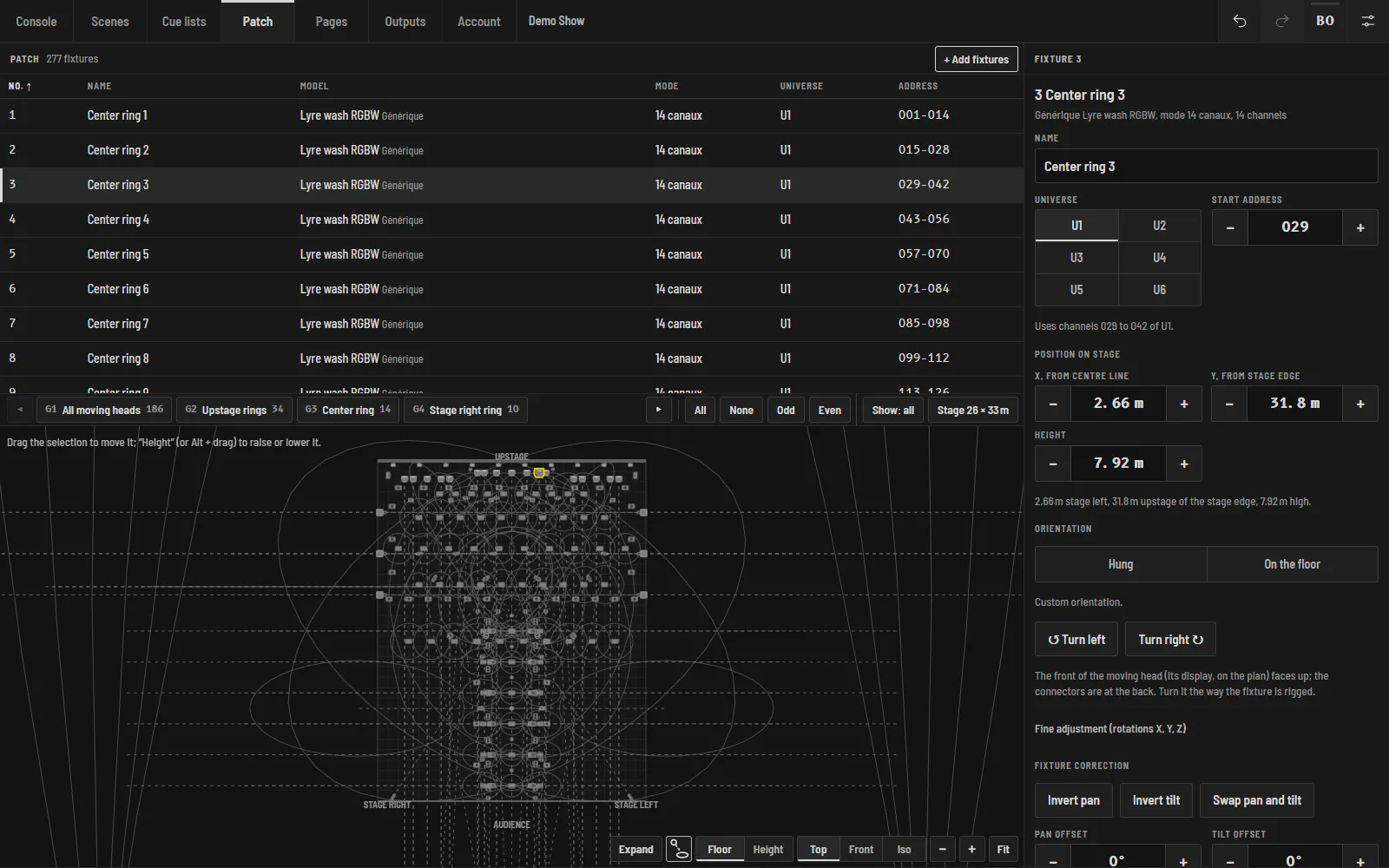
Halyx Patch screen: the list of 277 fixtures with model, mode, universe and DMX address, the selected fixture’s sheet and the stage seen from above to place them.

Frequently asked questions

My fixture is not in the list: what can I do?

Open its GDTF file, search GDTF Share, or create its profile in Patch › Add, by hand or by having Claude read the manual. You can also write to us: we regularly add profiles to the library.

Does Halyx read GDTF files?

Yes, and it also exports its own profiles as .gdtf.

Is AI manual reading included?

The feature is included; it uses your own Anthropic API key (billed by Anthropic based on your usage), kept on the engine.

Try Halyx for free

Everything works without a licence, except the output to fixtures. 14-day Solo trial, no card.