Skip to content

Timecode, OSC and MIDI

To lock lighting to a soundtrack, a video show or a QLab rig, and to get a real console feel with a MIDI surface.

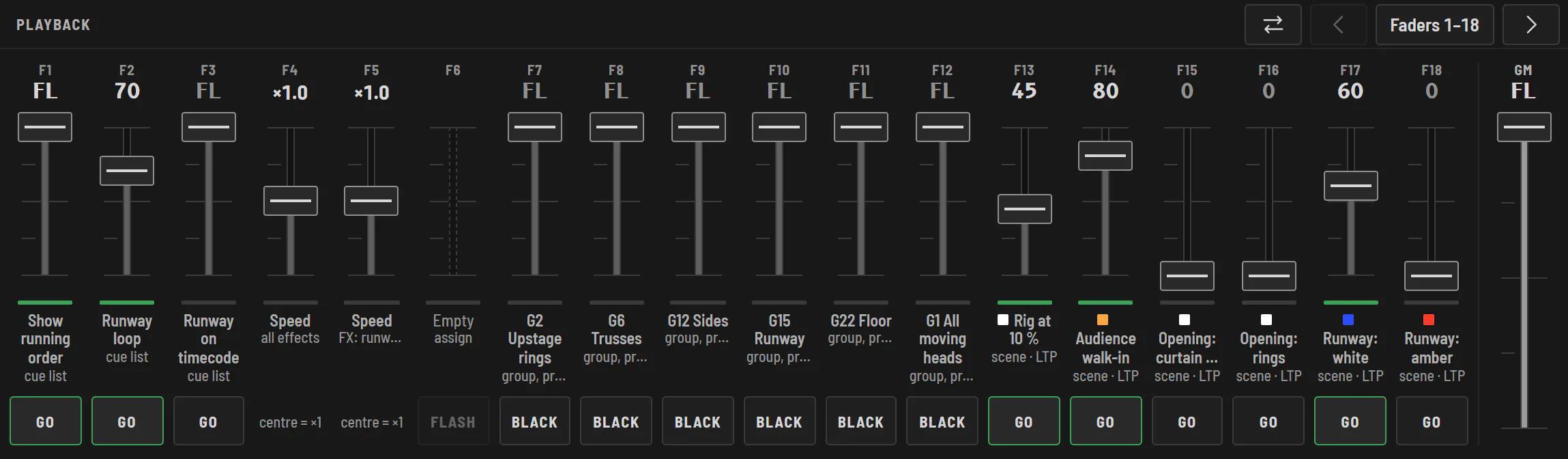
Halyx playback: a bank of 18 faders for sequences, speed masters, groups and scenes, each with its GO, Flash or Black button, and the grand master on the right.

Timecode

  • LTC through the computer's audio input, MIDI Time Code, ArtTimeCode (Art-Net), or internal timecode;
  • a cue starts at a timecode: the sequence follows the tape, even when starting in the middle;
  • time-of-day start, on chosen days: shop windows, installations, architectural lighting.

OSC

Simple addresses (/halyx/fader/1 0.5, /halyx/seq/2/go, /halyx/seq/2/cue/3), over UDP on port 7812: QLab, TouchOSC, Companion, or your own scripts. OSC only listens to the Halyx computer until you open it to the network (Outputs › Remote control).

MIDI surfaces

Pick the action in Halyx, move the MIDI control: it's learned. Faders, buttons, GO, Blackout on an APC40, an X-Touch, a BCF2000 or any MIDI surface.

Frequently asked questions

Can Halyx receive timecode from QLab?

Yes, as MIDI Time Code or LTC. QLab can also fire GOs over OSC.

Can I control Halyx with a MIDI controller?

Yes: each control on a MIDI surface can be learned onto an action (fader, button, GO, Blackout…).

Try Halyx for free

Everything works without a licence, except the output to fixtures. 14-day Solo trial, no card.